What’s newThe latest in FitFlows

What changes in the app, for coaches and for clients.

ManagementCoachClientsTeam

Forms with a link anyone can fill in
Forms with a link anyone can fill in
New

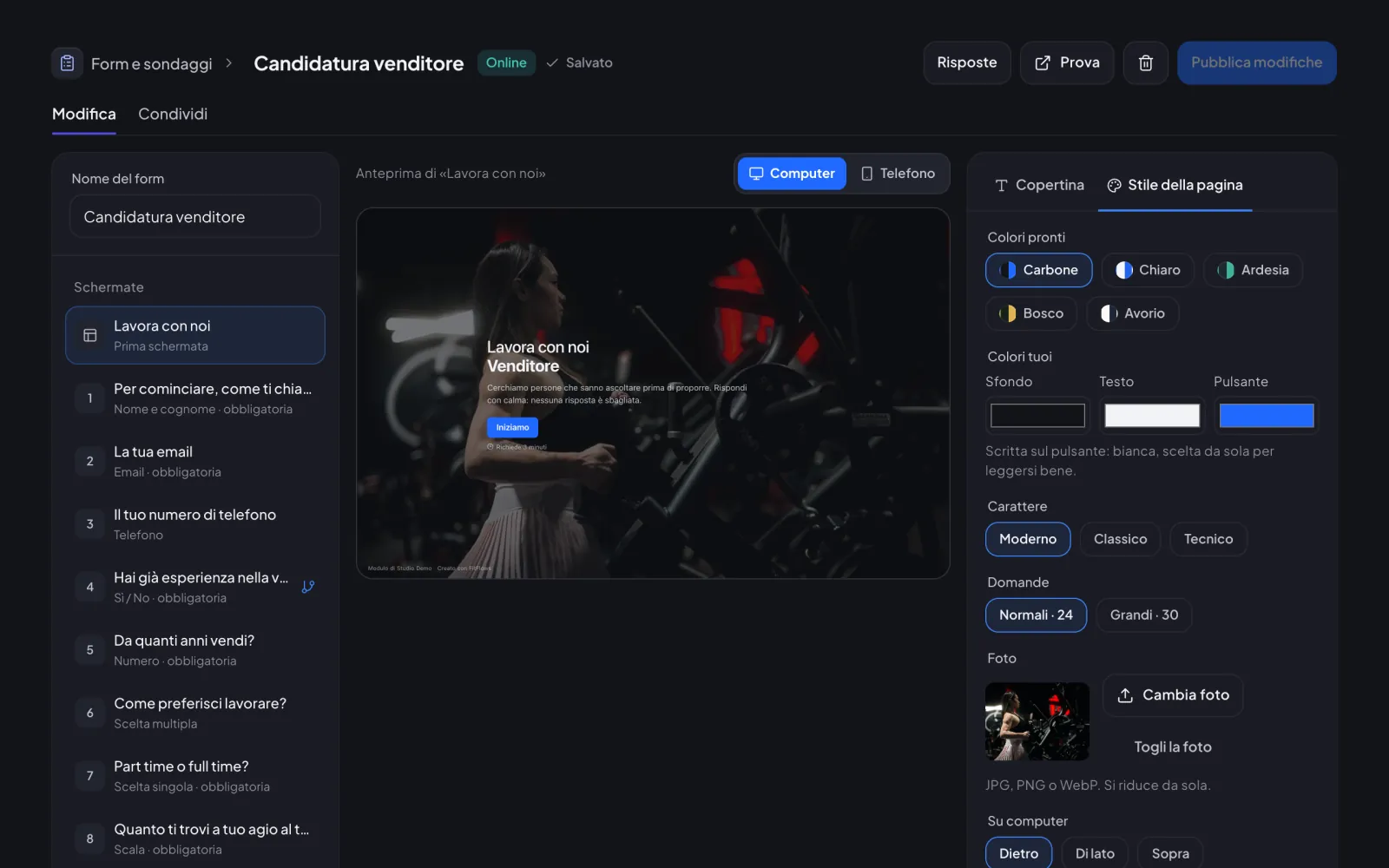
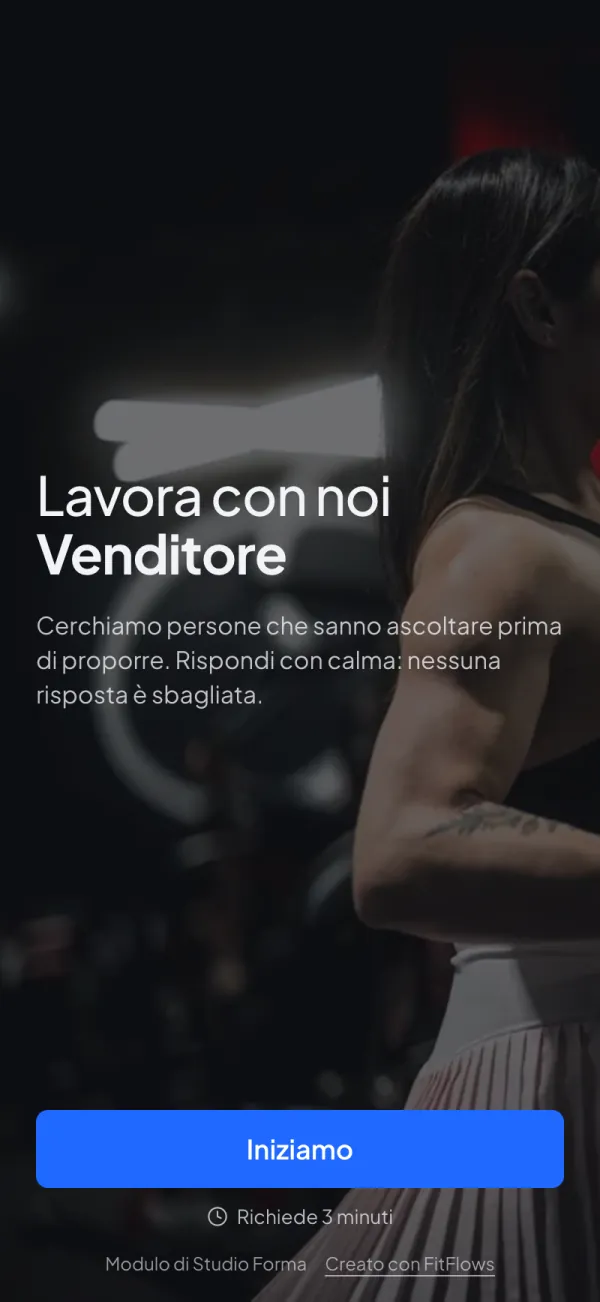
In «Forms & surveys» you create a form with its own link, for applications, requests or sign-ups. People answer one question at a time, with no account; you read the answers in order.

For the coach

  • One question per screen, with a computer and phone preview while you write
  • Page style your way: ready-made or custom colours, three fonts, a photo behind, beside or above
  • Share with a link or a QR code, and set a maximum number of answers or a closing date if you want
  • Answers as a summary, one by one or in a file to open in Excel
  • You get an in-app alert for every answer; you can turn it off in notifications

For clients

  • They open the link and answer straight away: the page doesn’t ask them to sign in or download anything
  • One question at a time, with «Ok» always at the bottom on the phone
  • On a computer they can answer with the keyboard too: Enter to go on, letters for the choices
  • If they close the page halfway, on the same phone they pick up where they left off
TeamCoachTeam

Your team’s work, month by month

Your team’s work, month by month
New

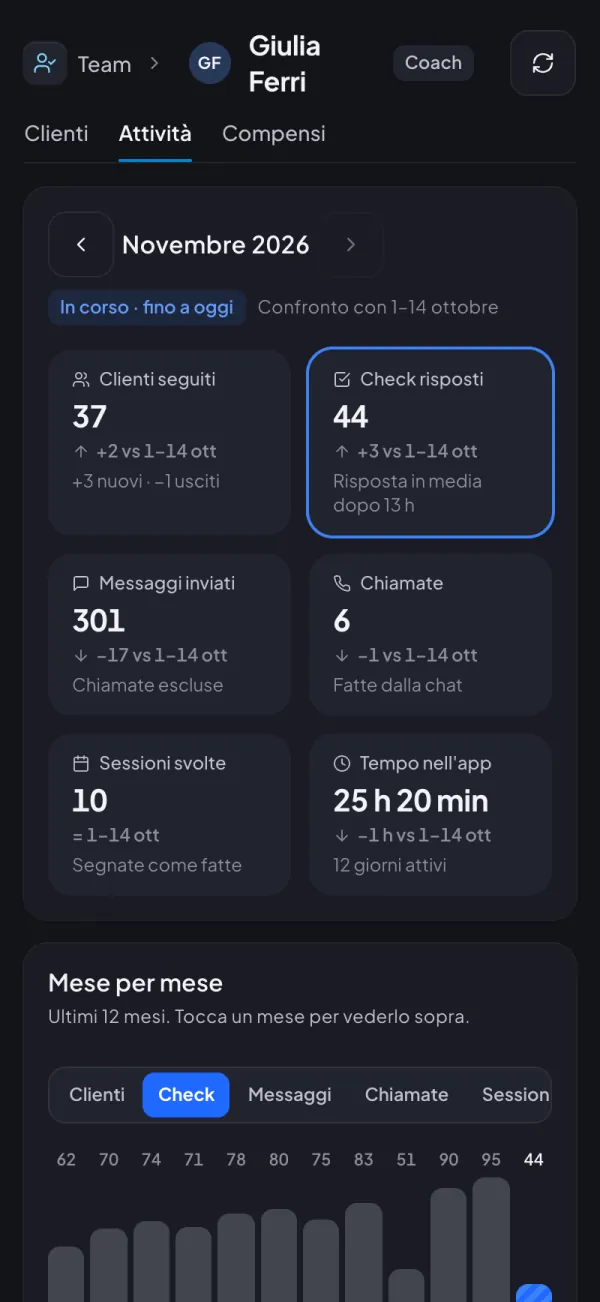
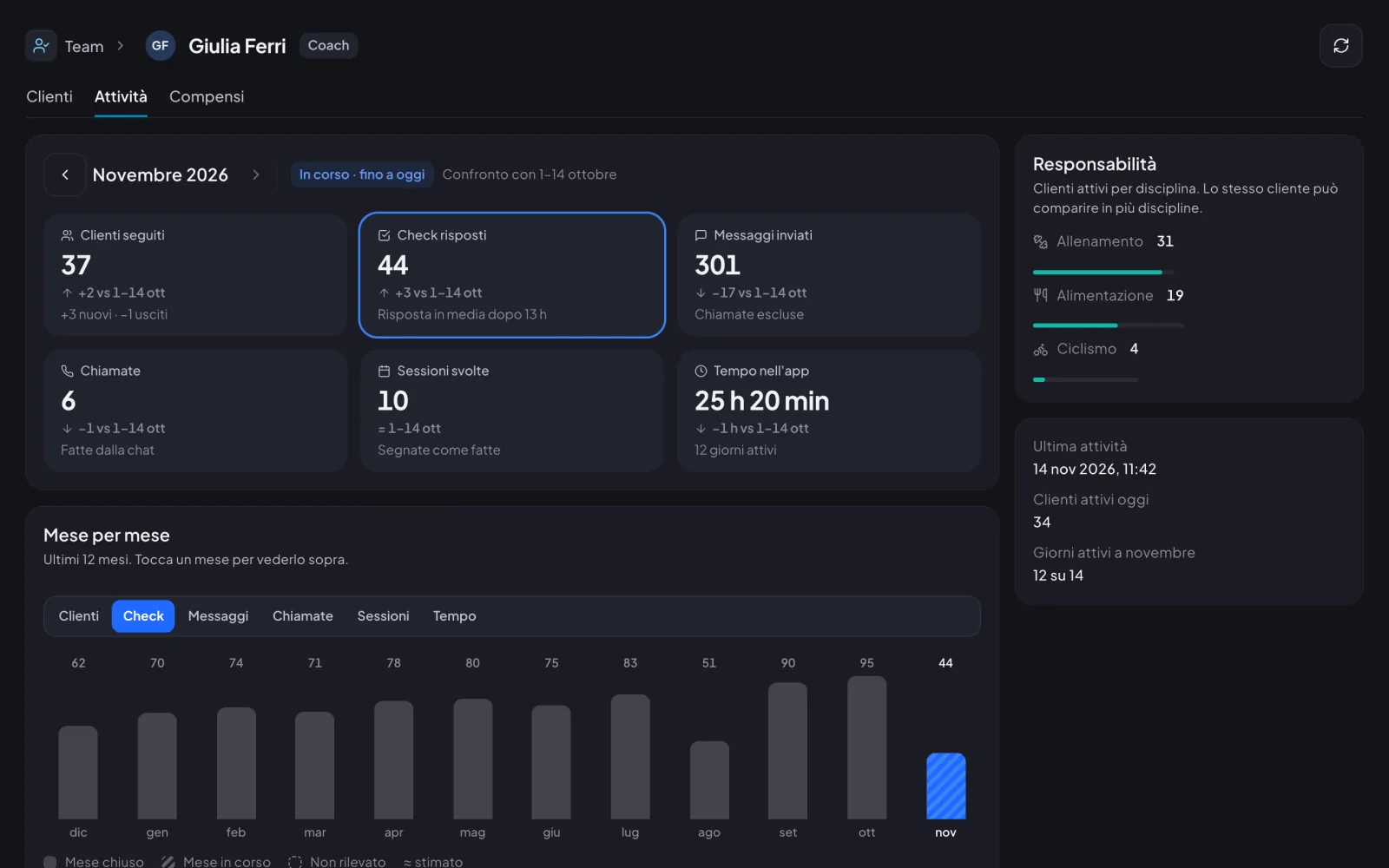
Each coach or nutritionist’s page now has «Activity»: clients followed, check-ins answered, messages, calls, sessions and time in the app, month by month and compared with the month before.

For the coach

  • Move through the months with the arrows: clients followed with new and lost, check-ins answered and messages sent
  • For check-ins, the average reply time too
  • Calls and completed sessions only show up if the person does them
  • The current month is compared with the same days of the month before
  • A chart of the last 12 months: tap a month to see it above
NutritionCoachTeam

Nutrition plans, a simpler editor

Nutrition plans, a simpler editor
New

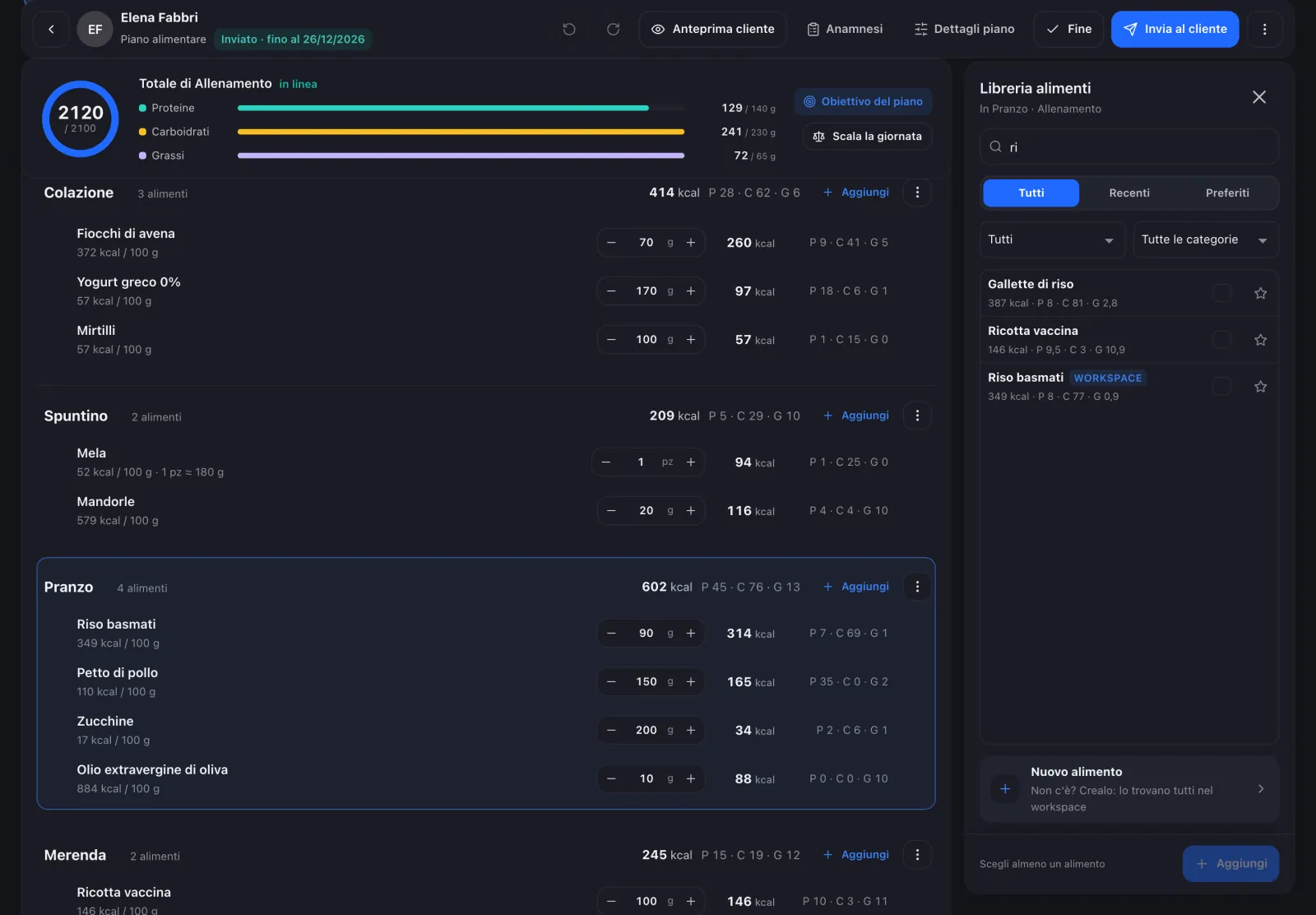
Days at the top, the day’s total against the goal and easier-to-read meals. The library opens next to the meal and the intake form stays open while you write.

For the coach

  • Days in a strip at the top: drag to swap them, rename, duplicate or clear them from ⋮
  • A calorie ring against the goal and protein, carb and fat bars for every day
  • «Add» opens the library next to the meal, which stays highlighted
  • A missing food can be created on the spot, and the whole team finds it
  • The client’s intake form in a side panel, with allergies and intolerances at the top
TeamCoachTeam

Team pay, made much simpler

Team pay, made much simpler
New

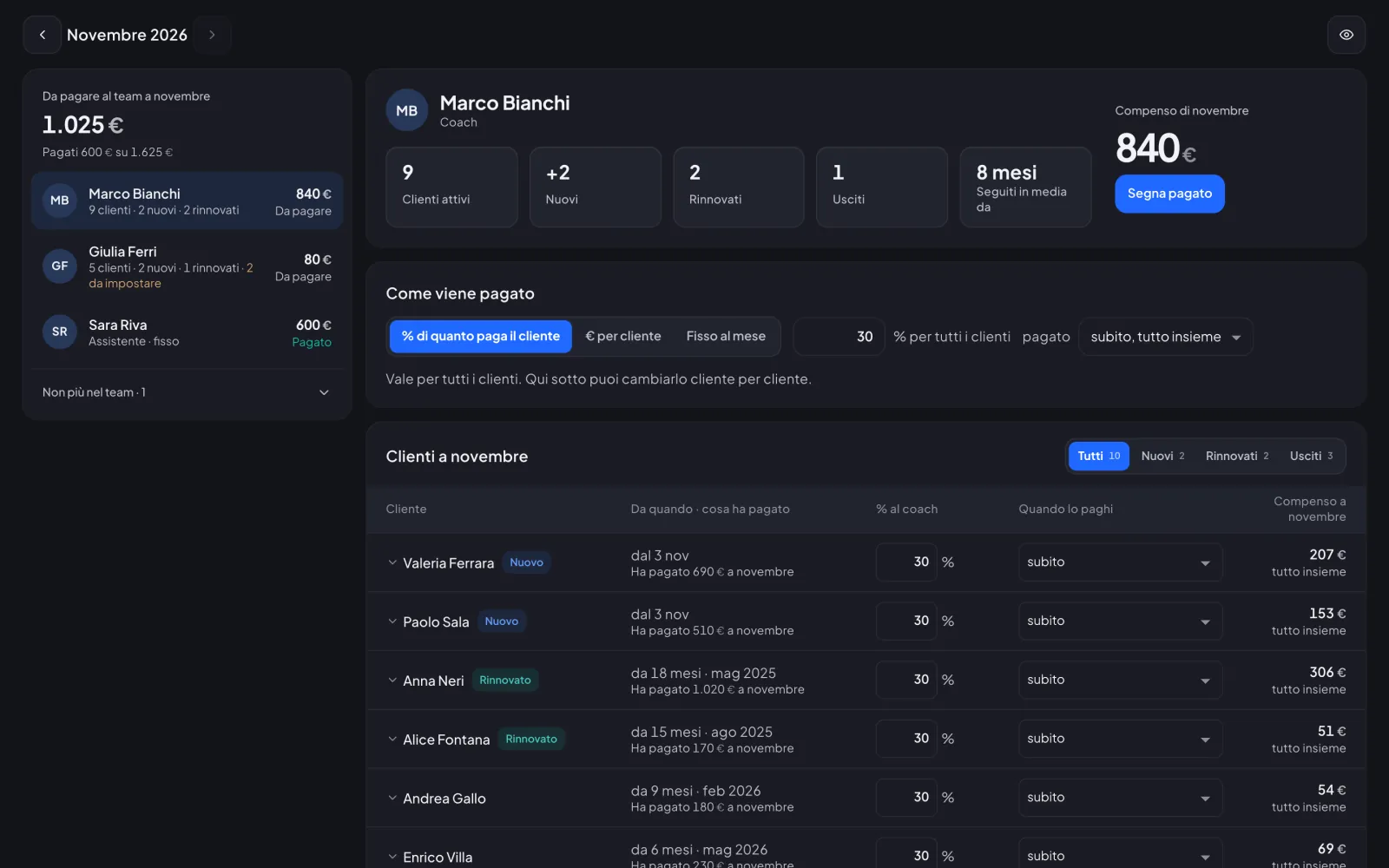
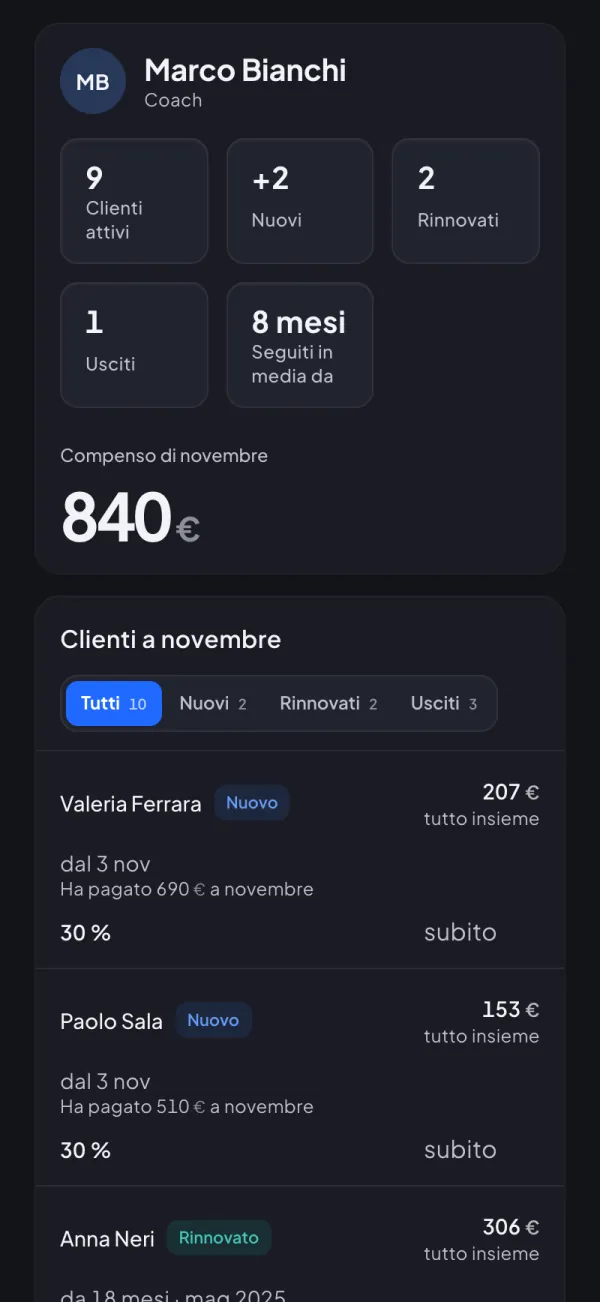
Each team member on one screen: how you pay them, their clients this month and what you owe. One tap on «Mark as paid» and the month is closed.

For the coach

  • Pay a % of what the client pays, € per client or a fixed monthly amount, the same for all or client by client
  • Right away, in instalments over several months or every month, even per client
  • New, renewed and lost clients of the month, each with its own amount
  • Just two states, To pay and Paid, and the paid amount never changes
  • If you want, each member sees their own pay in «My pay»
Community and rewardsCoachClientsTeam

Client surveys, one question at a time

Client surveys, one question at a time
New

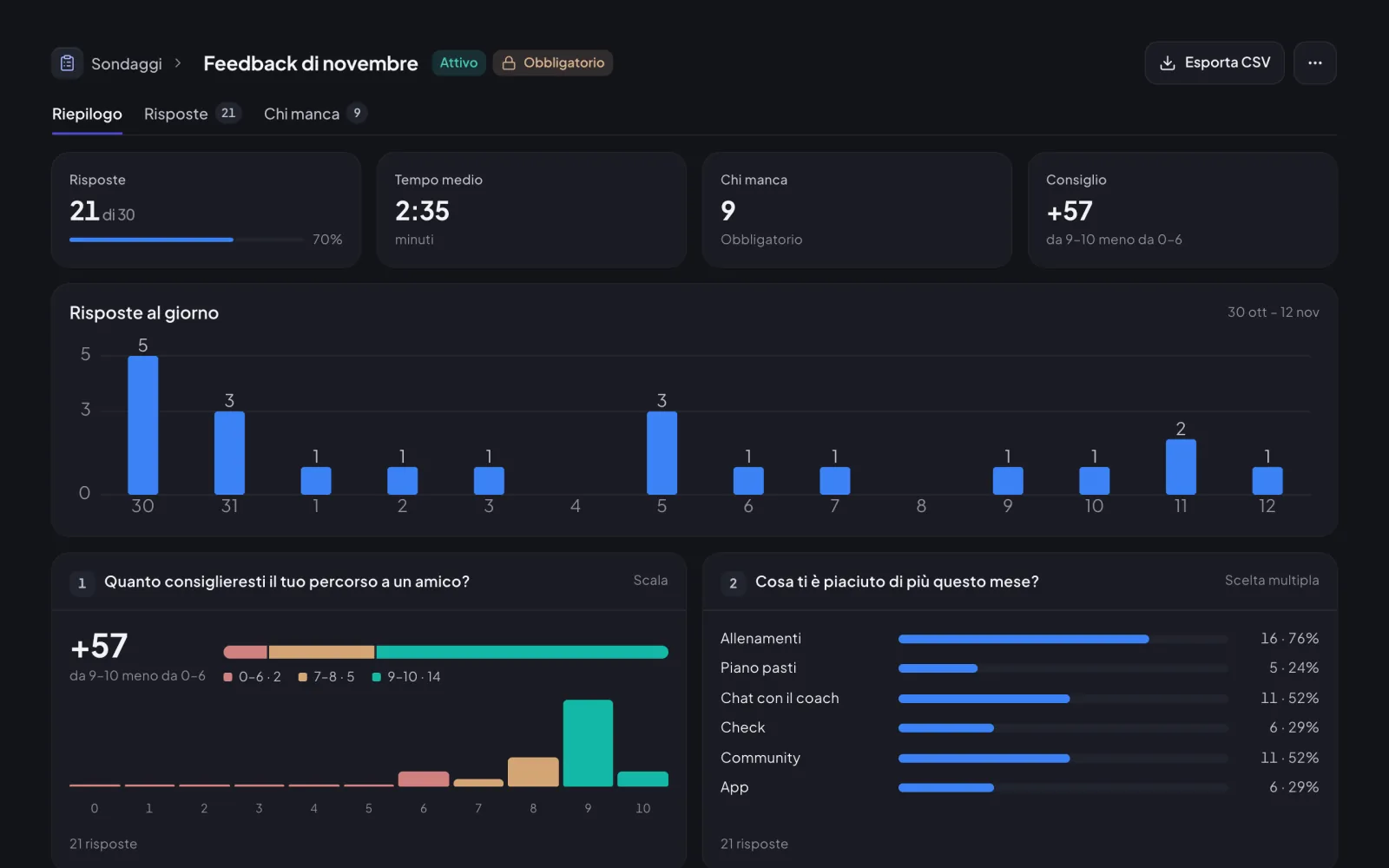
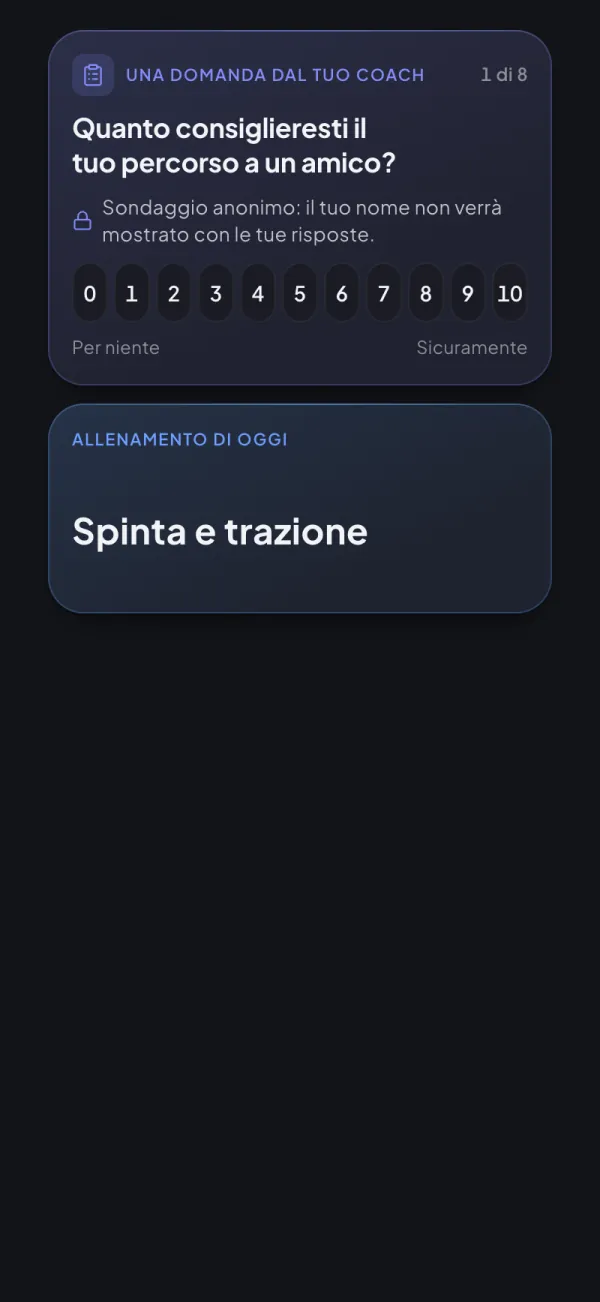
Ask clients how it’s going with a survey in Community: they answer from their phone in two minutes, you read the results already sorted.

For the coach

  • Ready-made templates or a survey from scratch in 4 steps, with a phone preview
  • Answers with names, anonymous or the client’s choice
  • 14 answer types, from a 0–10 scale to stars and open questions
  • To all clients or just some, required or optional
  • Results with a summary, each answer, who’s missing and CSV export

For clients

  • One question per screen, one tap to move on
  • Optional surveys appear in «Today» with the first question ready
  • If closed halfway, it picks up where it left off
  • When you let them, they choose to answer anonymously and see what you’ll get
Try it with today’s updates.30 minutes in the real app, just your email.
Try it now