All updates

What’s new in Team

Dashboards and statistics for the whole team: the updates.

TeamCoachTeam

Your team’s work, month by month
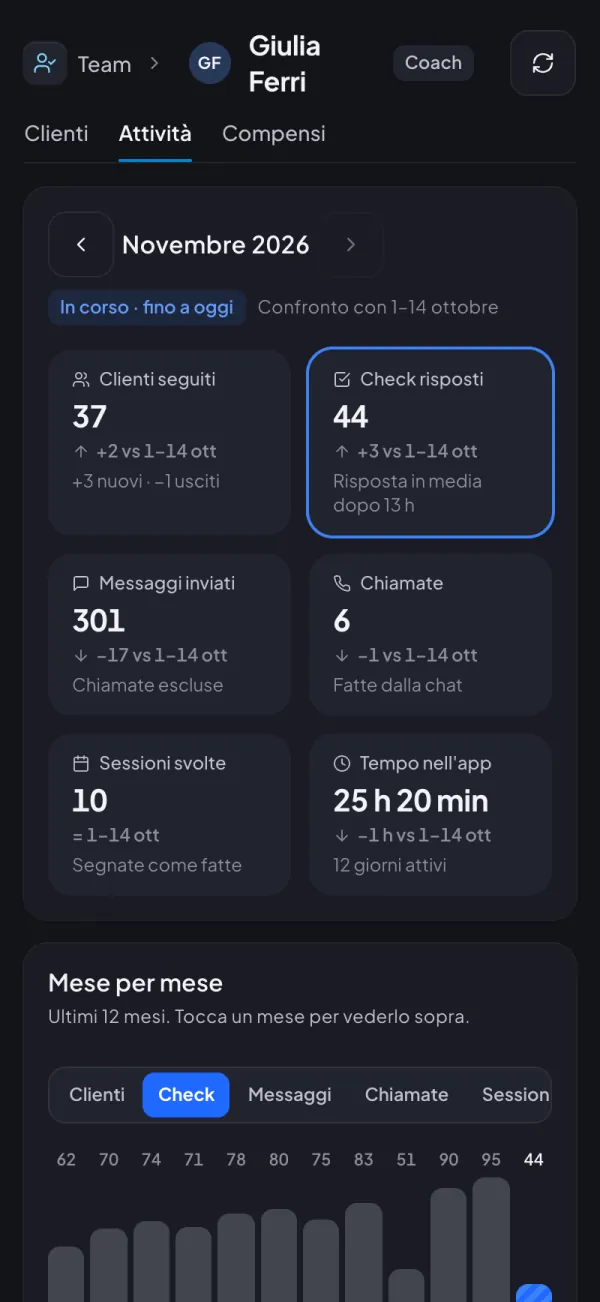
Your team’s work, month by month
New

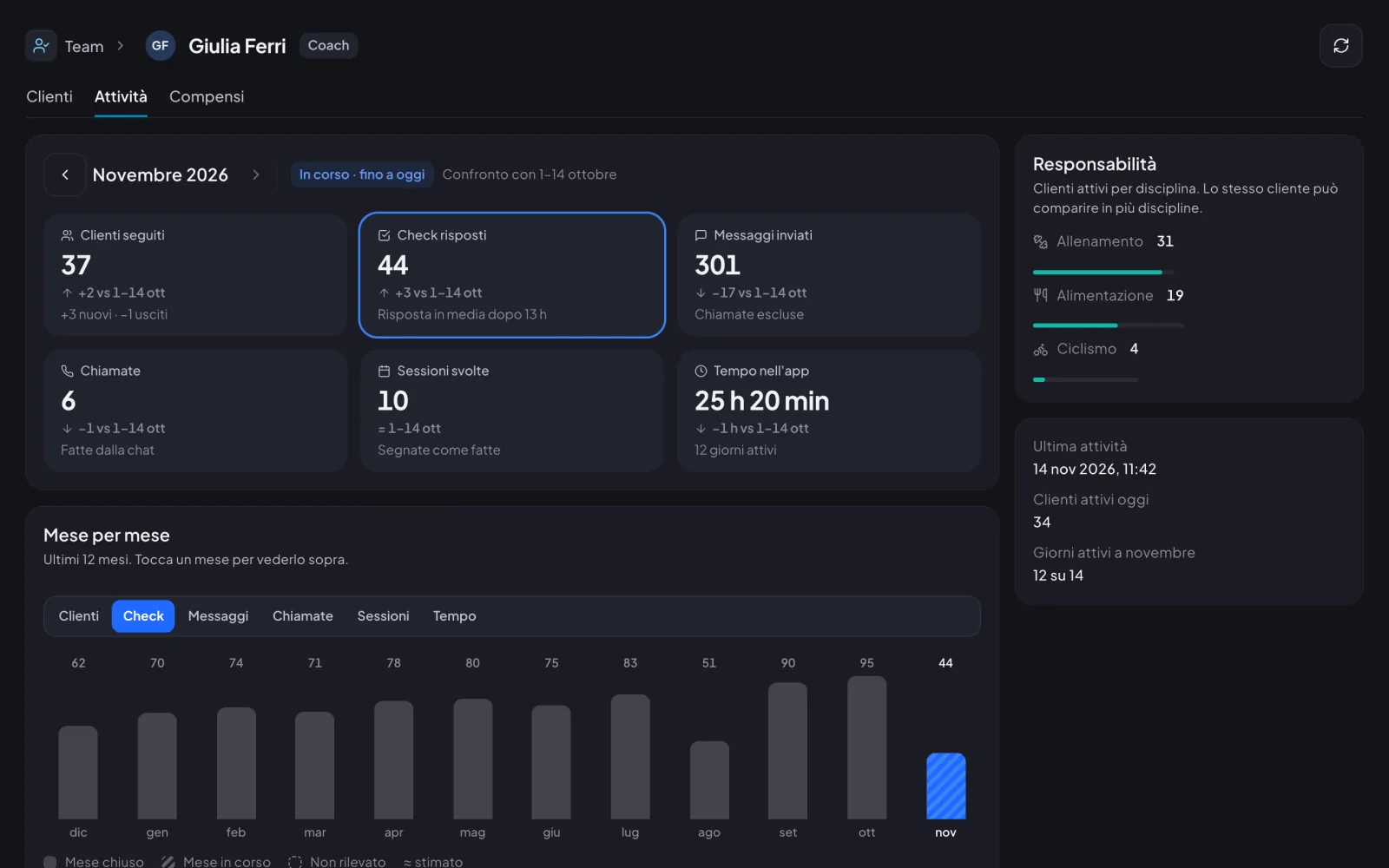
Each coach or nutritionist’s page now has «Activity»: clients followed, check-ins answered, messages, calls, sessions and time in the app, month by month and compared with the month before.

For the coach

  • Move through the months with the arrows: clients followed with new and lost, check-ins answered and messages sent
  • For check-ins, the average reply time too
  • Calls and completed sessions only show up if the person does them
  • The current month is compared with the same days of the month before
  • A chart of the last 12 months: tap a month to see it above
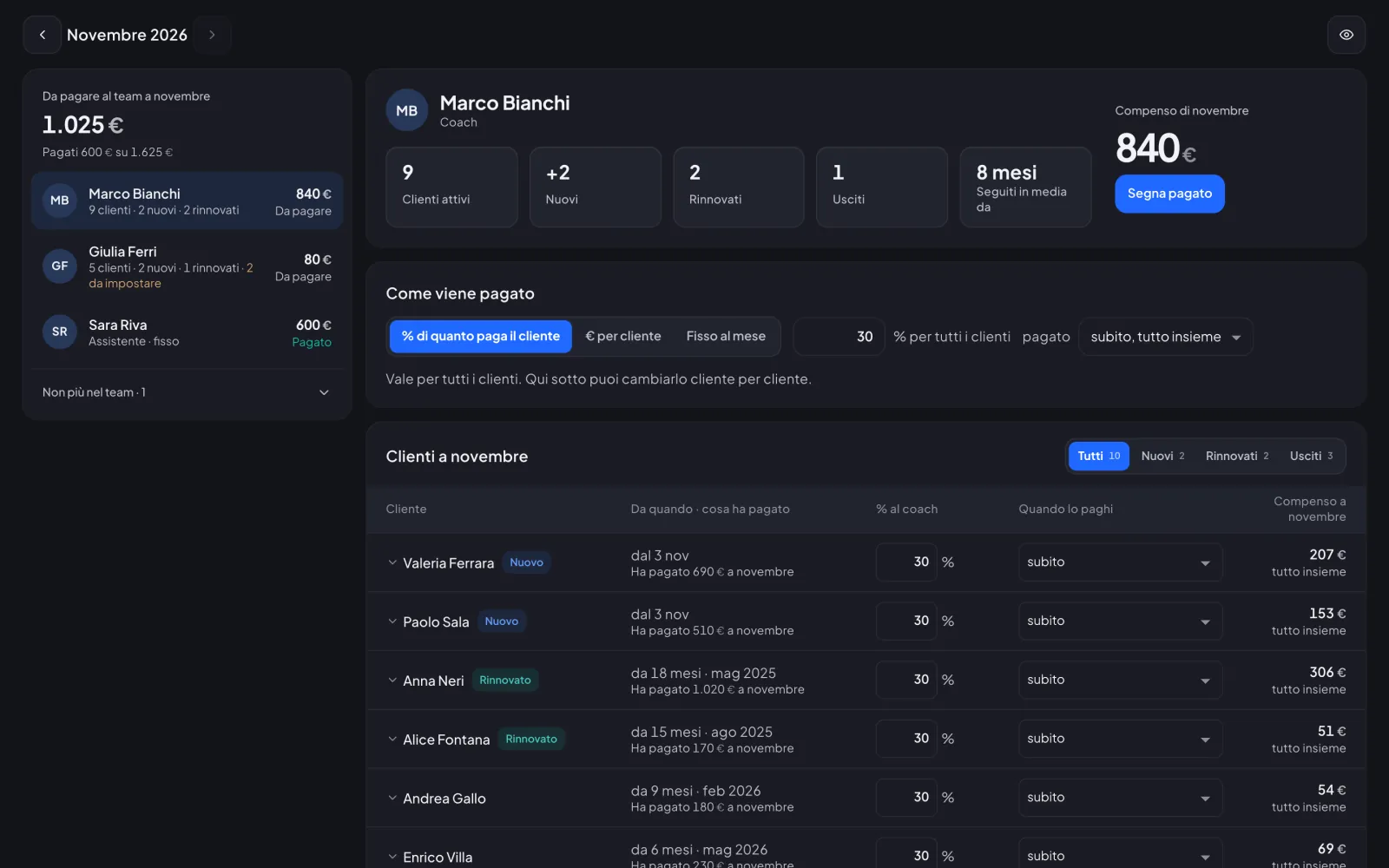
TeamCoachTeam

Team pay, made much simpler

Team pay, made much simpler
New

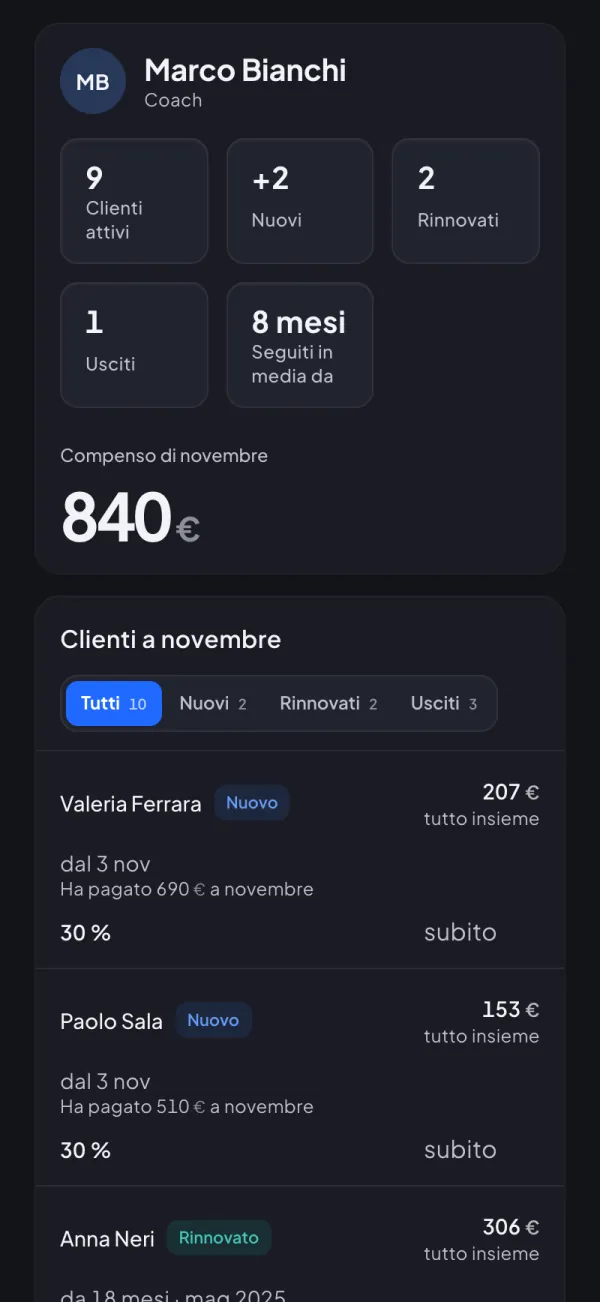
Each team member on one screen: how you pay them, their clients this month and what you owe. One tap on «Mark as paid» and the month is closed.

For the coach

  • Pay a % of what the client pays, € per client or a fixed monthly amount, the same for all or client by client
  • Right away, in instalments over several months or every month, even per client
  • New, renewed and lost clients of the month, each with its own amount
  • Just two states, To pay and Paid, and the paid amount never changes
  • If you want, each member sees their own pay in «My pay»
TeamCoachTeam

Widget dashboards, one for each team member

Widget dashboards, one for each team member
New

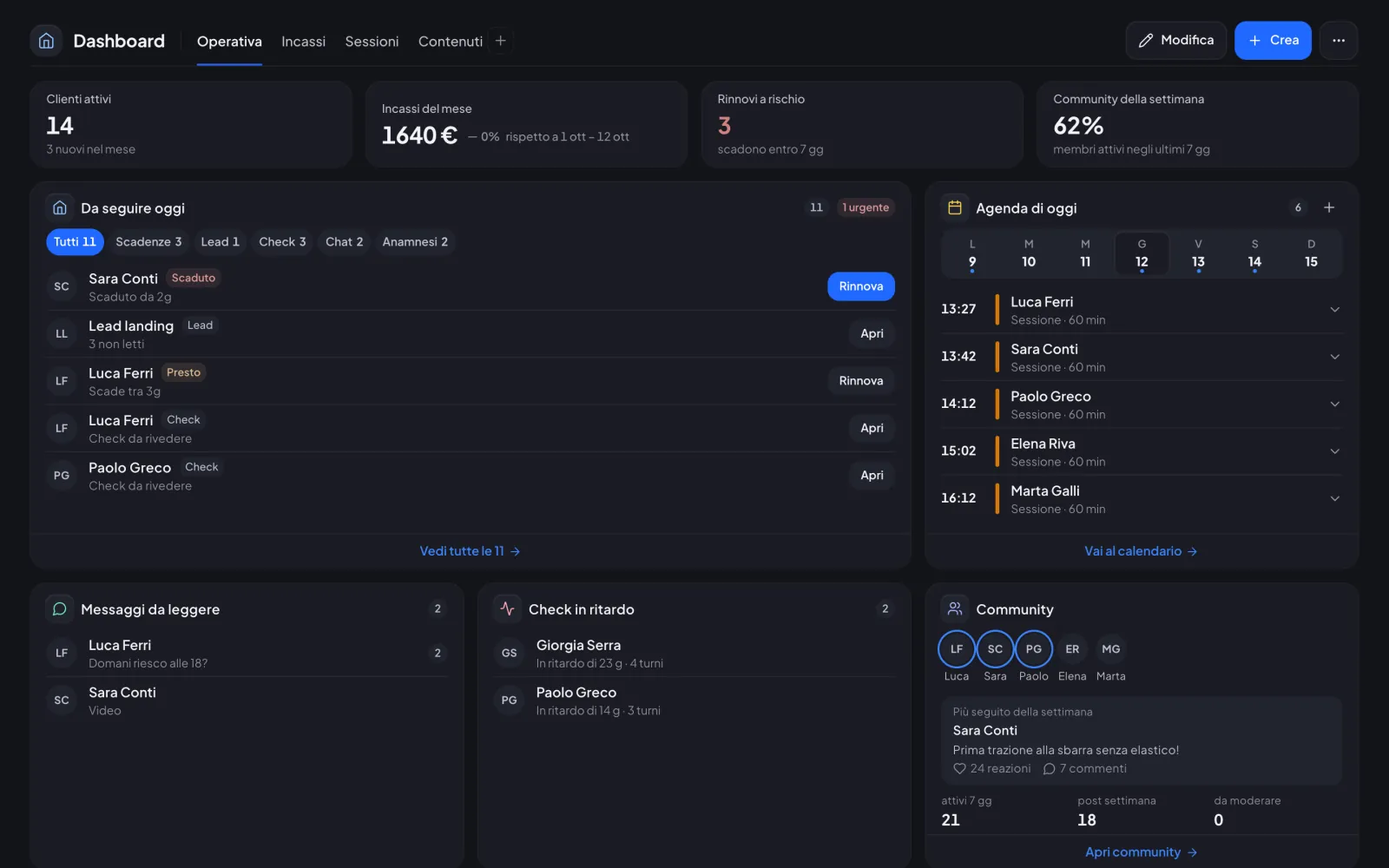
Every staff member sets up their own dashboard with widgets for their role, starting from the space’s templates.

For the coach

  • 58 widgets split by role and permissions
  • Drag, resize and save several dashboards
  • «Hide amounts» when sharing your screen
  • On the phone one column, with numbers in pairs
TeamCoachTeam

Sales stats for the whole team

Sales stats for the whole team
New

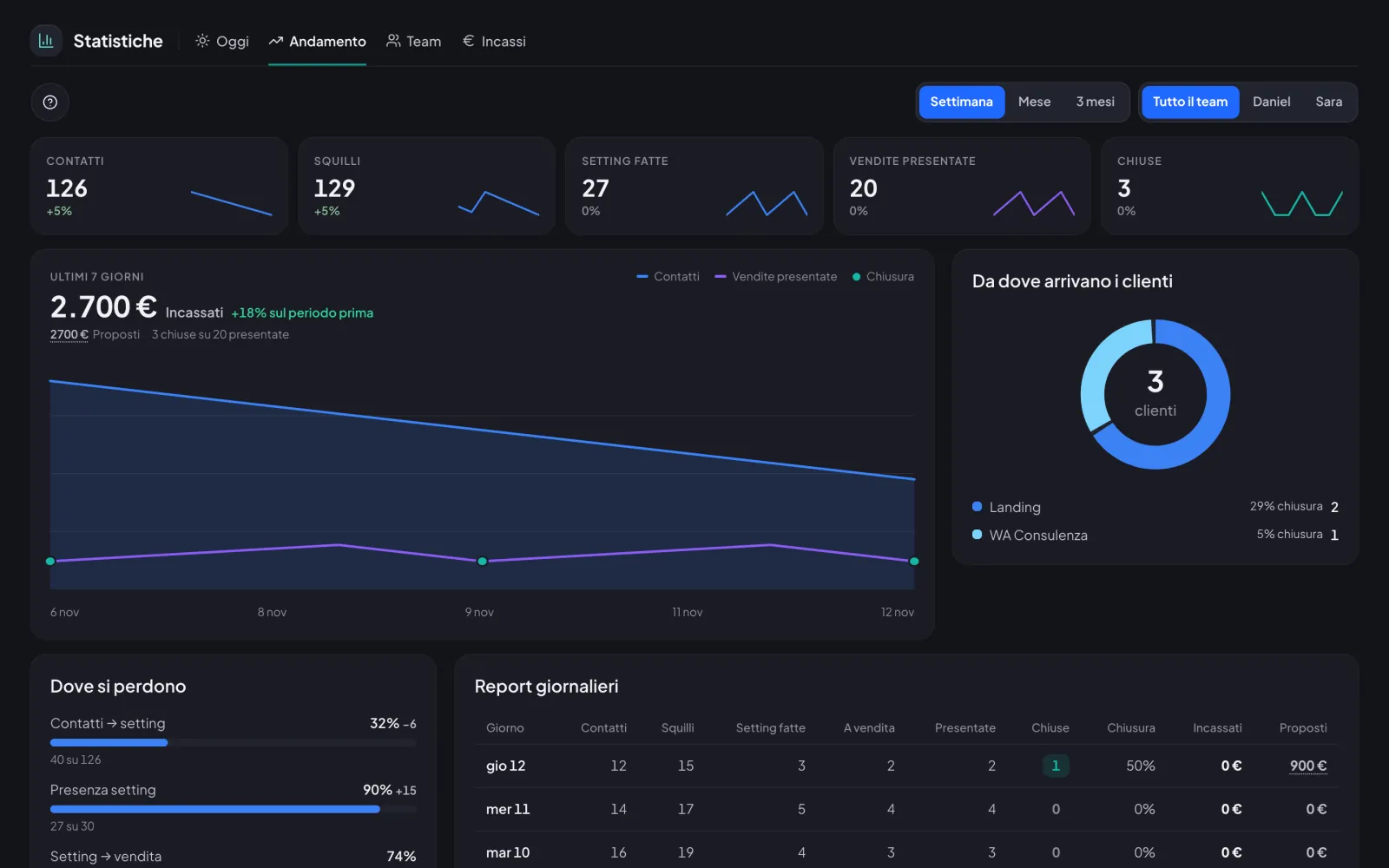
Today, Trend, Team and Revenue on one page, with today’s calls and outcomes to log on the spot.

For the coach

  • «Log outcome» right on the call row
  • Money split into Collected and Proposed
  • Contacts and calls entered by hand in Settings › Sales
  • «Stats» permission to choose who sees them
Try it with today’s updates.30 minutes in the real app, just your email.
Try it now