See right away who is a good fit and when to call
 FitFlows
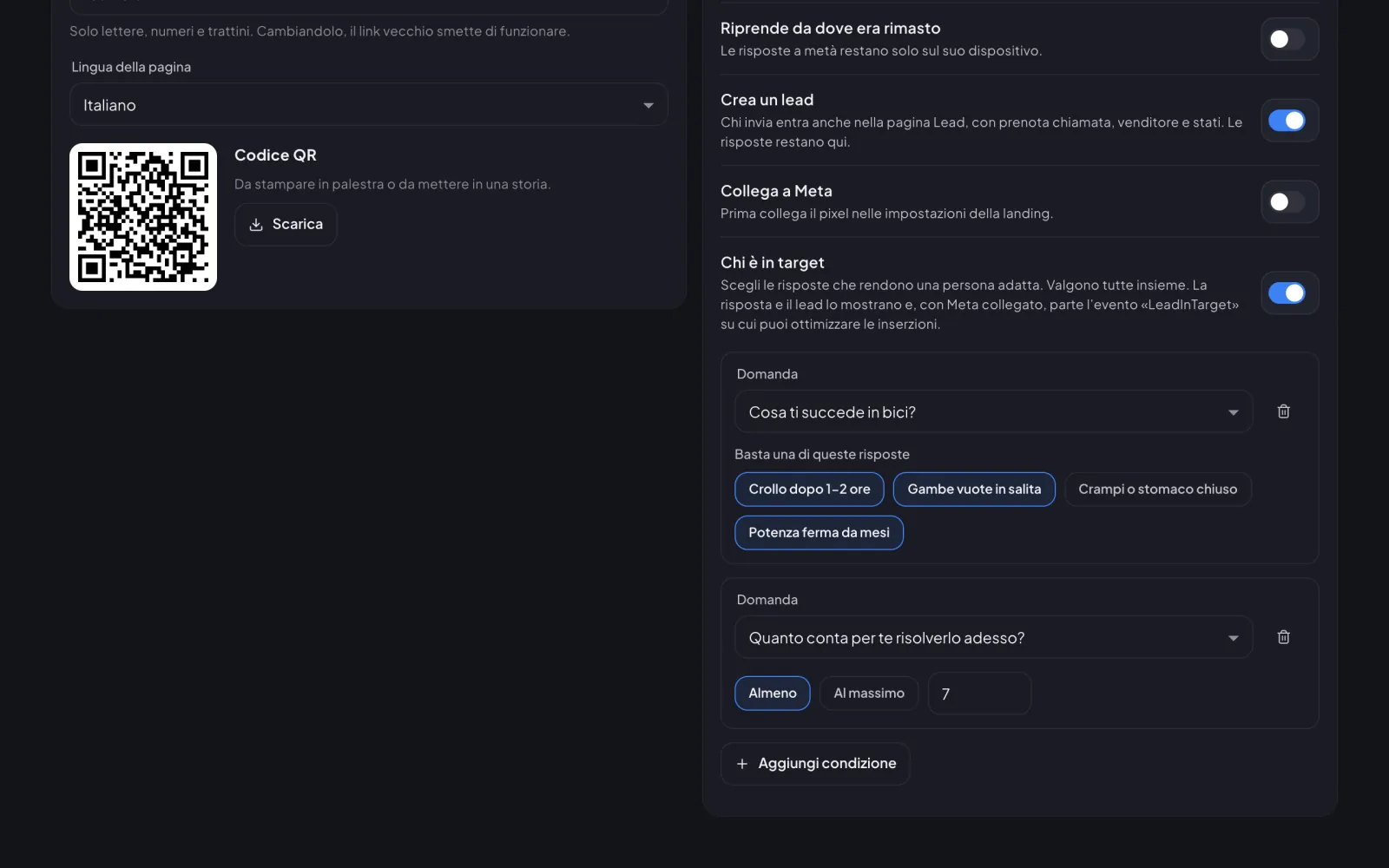
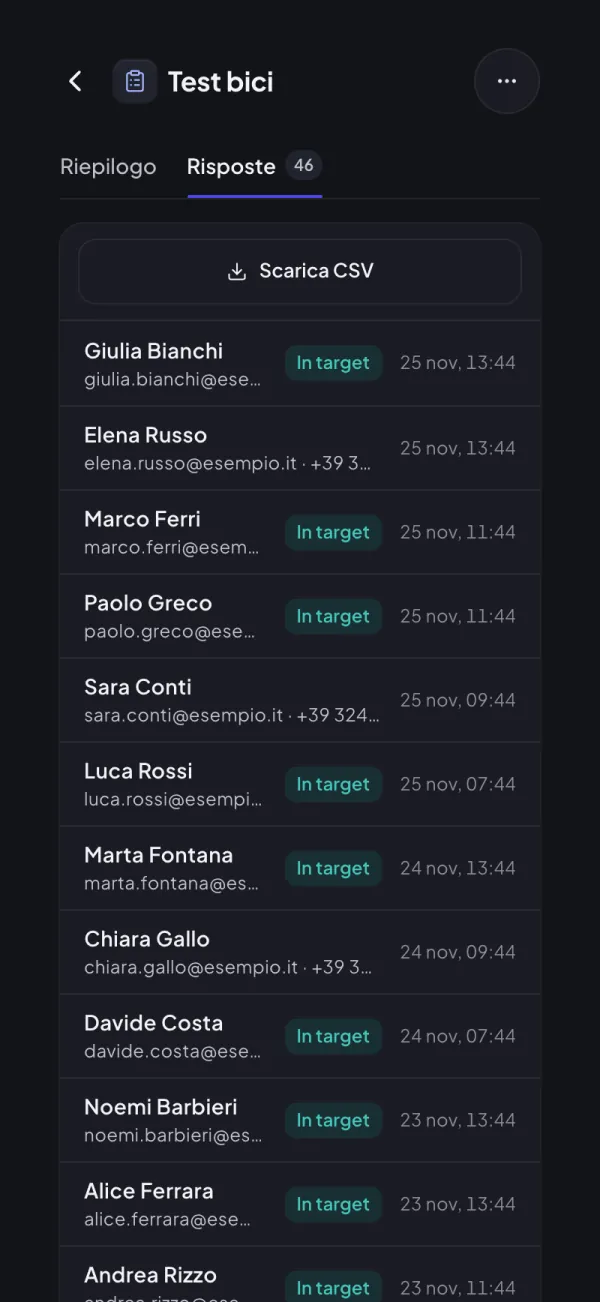
In forms and quizzes you pick the answers that make someone a good fit: whoever gives them gets a «Good fit» mark in responses and leads. After their details they can also say when they prefer a call.
For the coach
- In «Share» turn on «Who is a good fit» and add conditions: the right answers or a minimum or maximum number, for example «how much it matters to you» at least 7
- In responses and «Online leads» good fits have their own mark: you call the right people first
- With your Meta pixel connected, Meta knows who is a good fit and you can optimise your ads on them; answers never go to Meta
- With «Ask when to contact them» you choose how many days ahead and between which hours: the lead shows «Contact» with day and hour
For clients
- After name, phone and email they pick the day and hour they prefer to be called, or skip
- On the phone the button to move on shows up as soon as they pick an answer