What’s newThe latest in FitFlows

What changes in the app, for coaches and for clients.

TeamCoachTeam

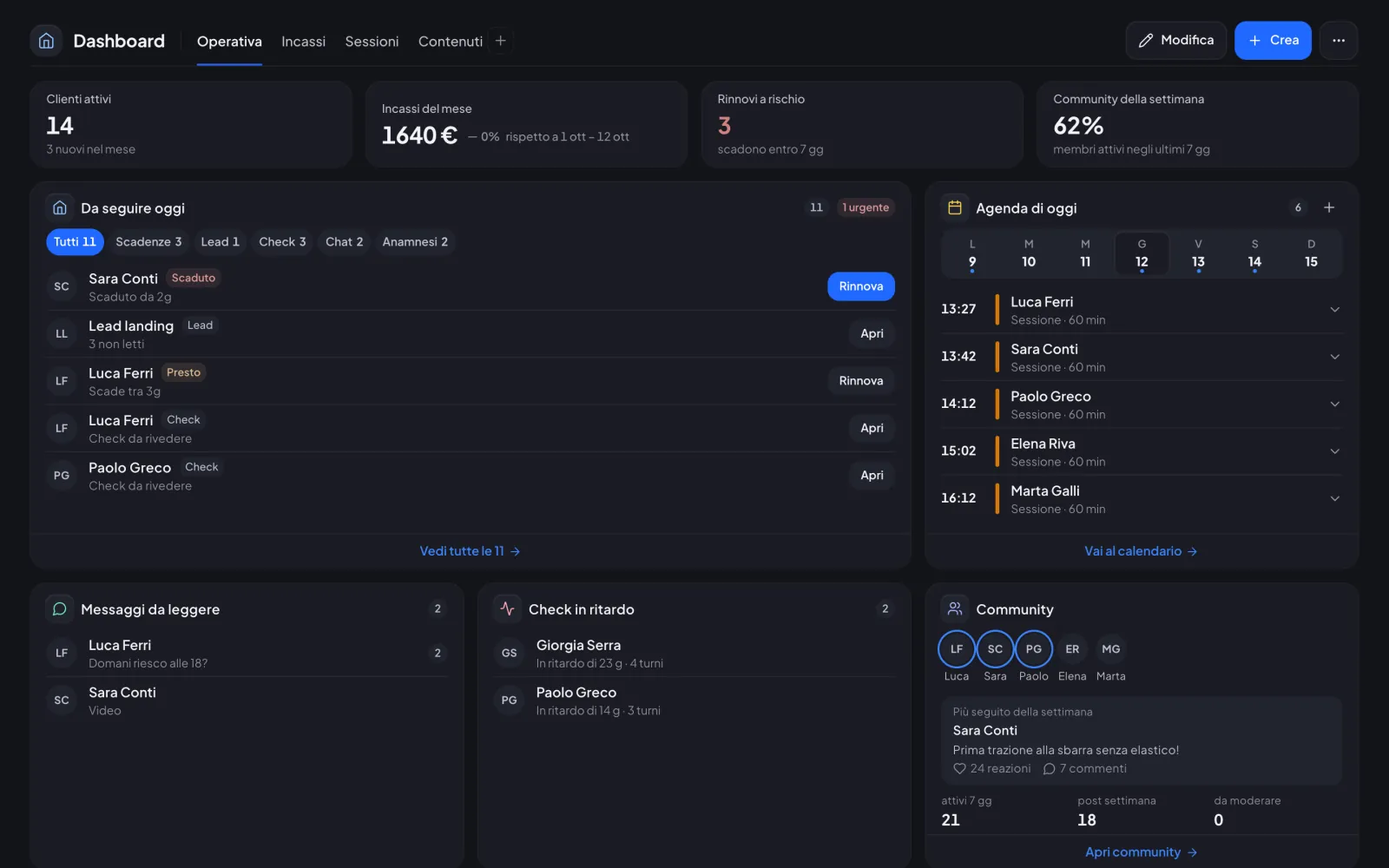
Widget dashboards, one for each team member
Widget dashboards, one for each team member
New

Every staff member sets up their own dashboard with widgets for their role, starting from the space’s templates.

For the coach

  • 58 widgets split by role and permissions
  • Drag, resize and save several dashboards
  • «Hide amounts» when sharing your screen
  • On the phone one column, with numbers in pairs
Check-insCoachClientsTeam

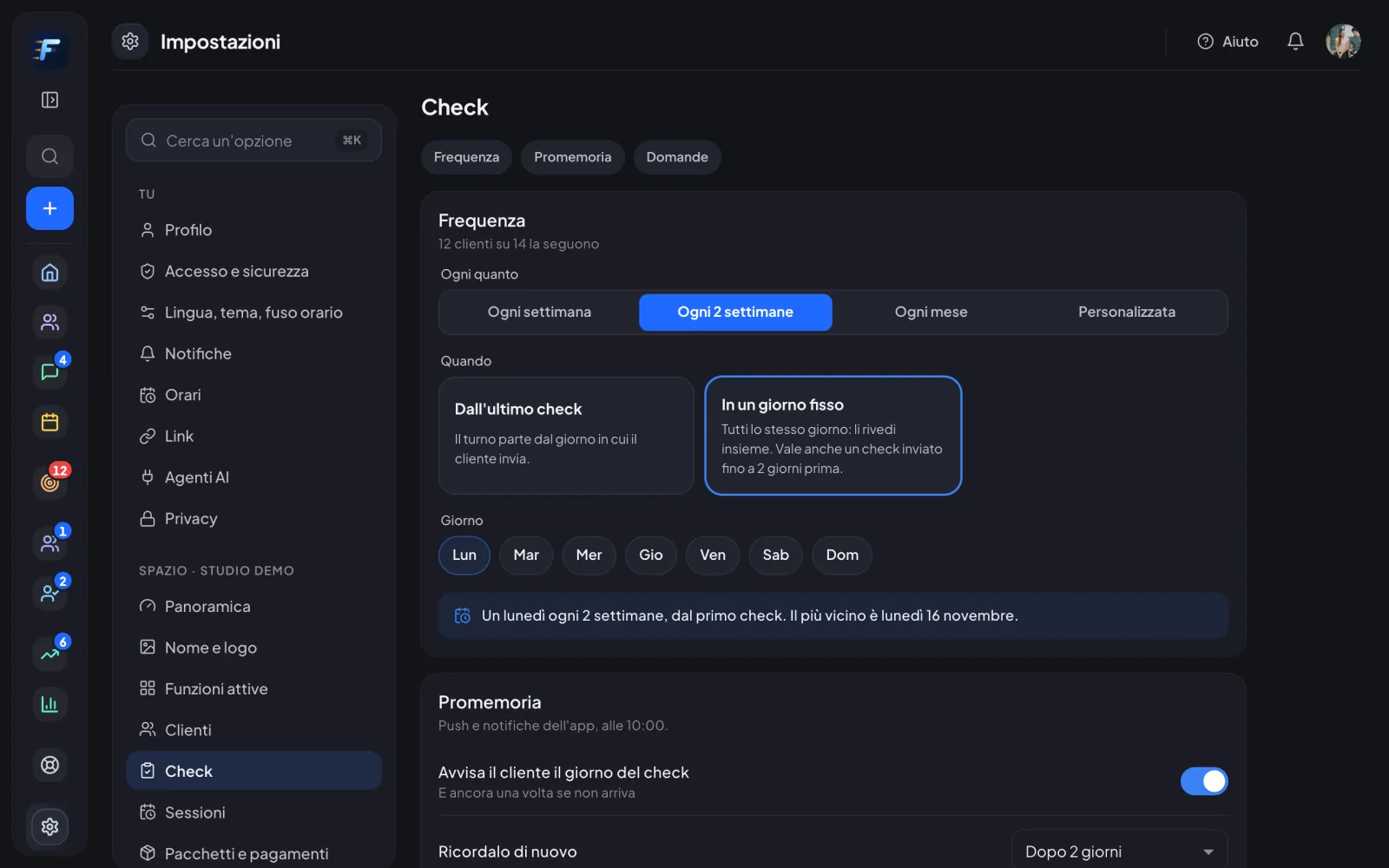
Custom check-ins: your frequency and questions

Custom check-ins: your frequency and questions
New

Decide how often check-ins come, for the whole space or a single client, and add your own questions.

For the coach

  • Weekly, every 2 weeks, monthly, on fixed days or paused
  • Question templates with 8 answer types
  • Answers with changes and trends over time
  • Client list with «Next check-in» and delays

For clients

  • «How did it go» step with the coach’s questions
  • The next check-in follows the coach’s rule
  • Reminder on the right day
Community and rewardsCoachClients

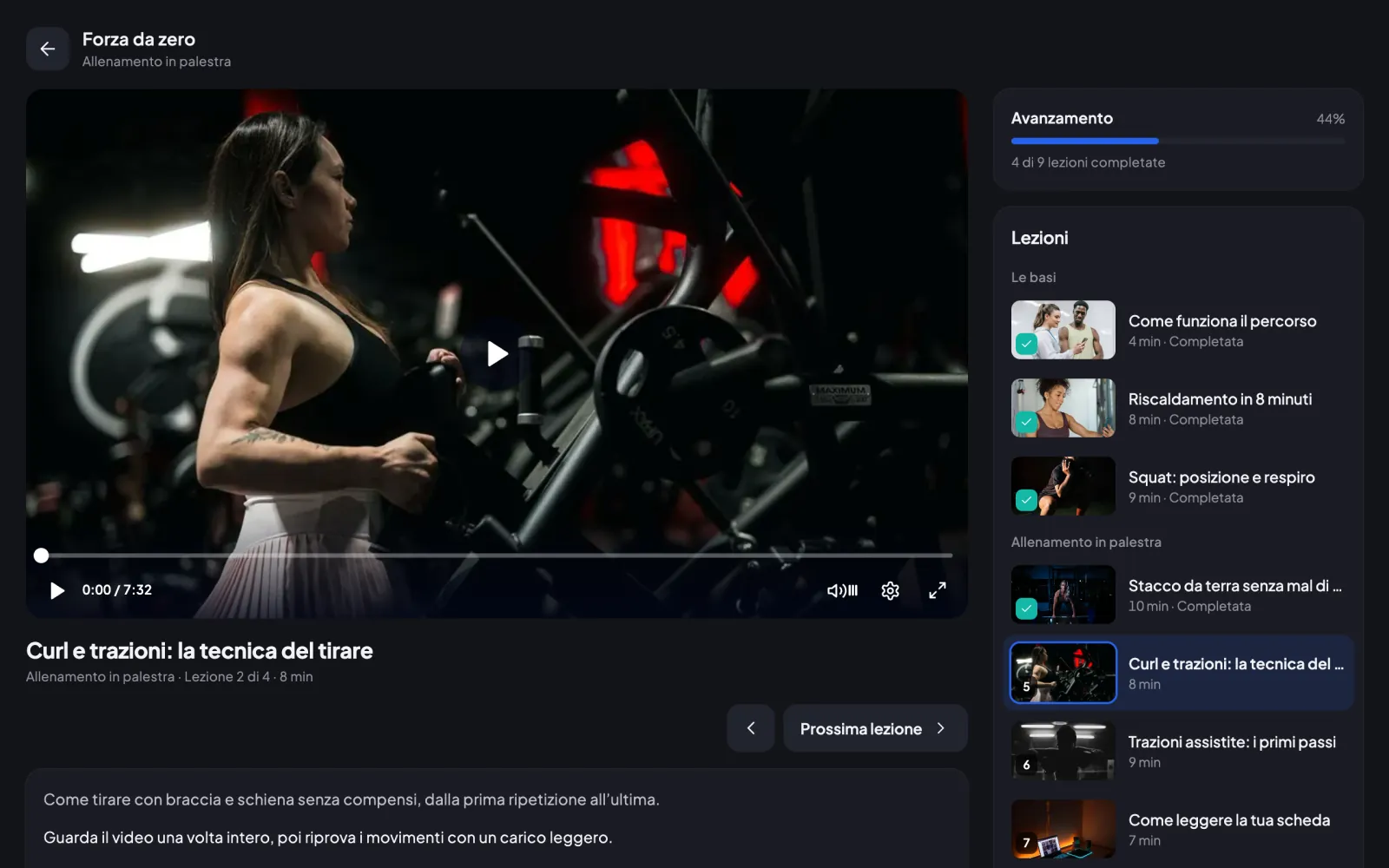
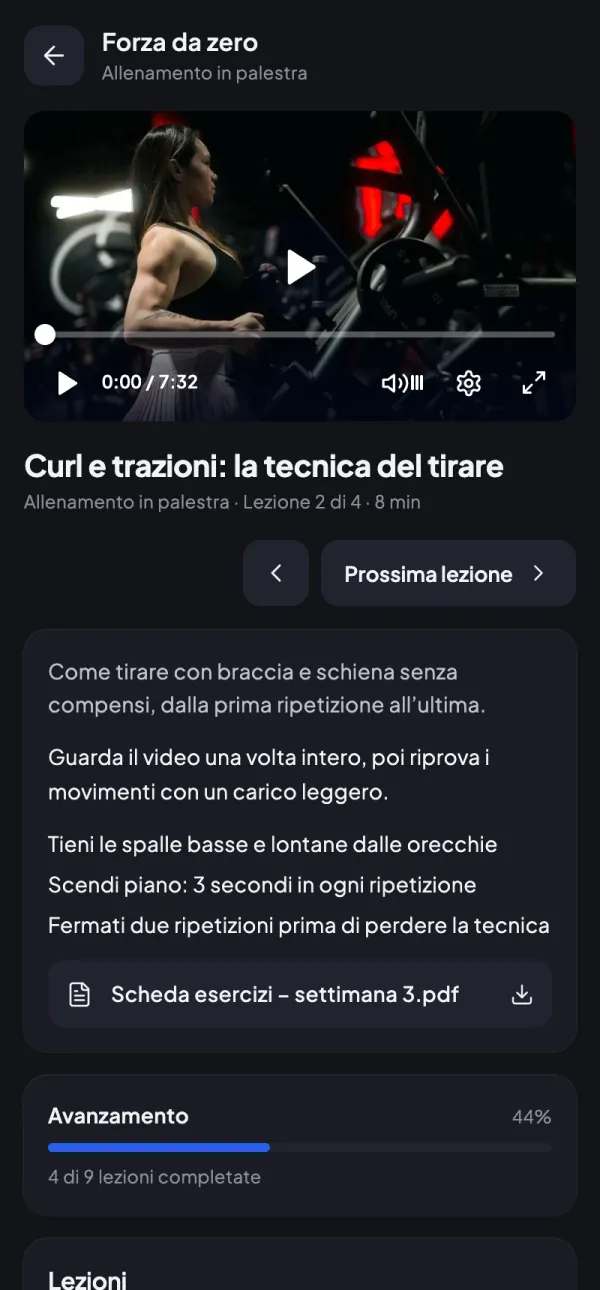
Easier course creation and a new player

Easier course creation and a new player
New

Create a course with a cover in a few steps, and clients watch lessons in a new player.

For the coach

  • Course card with a cover
  • Cover taken from a video frame
  • Uploaded videos play well on every phone

For clients

  • Video player with the lesson list alongside
  • A lesson is marked done when the video ends
ManagementCoachTeam

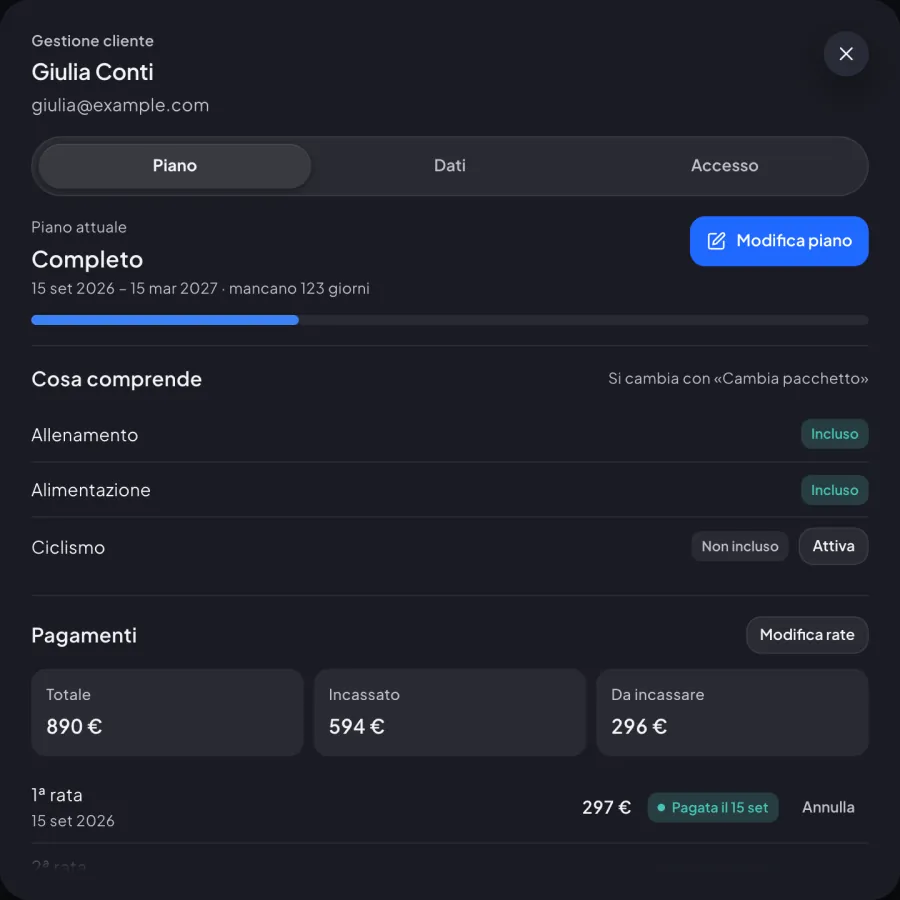
Client plans: renew, change or correct

Client plans: renew, change or correct
New

A single «Edit plan» asks what changed and guides you through renewal, package change or correction.

For the coach

  • New client in 3 steps with the chosen package
  • «Correct» price, start and end, keeping the previous version
  • «When does it start?» for renewals and new packages
  • What is left to pay, in one go or in instalments
TeamCoachTeam

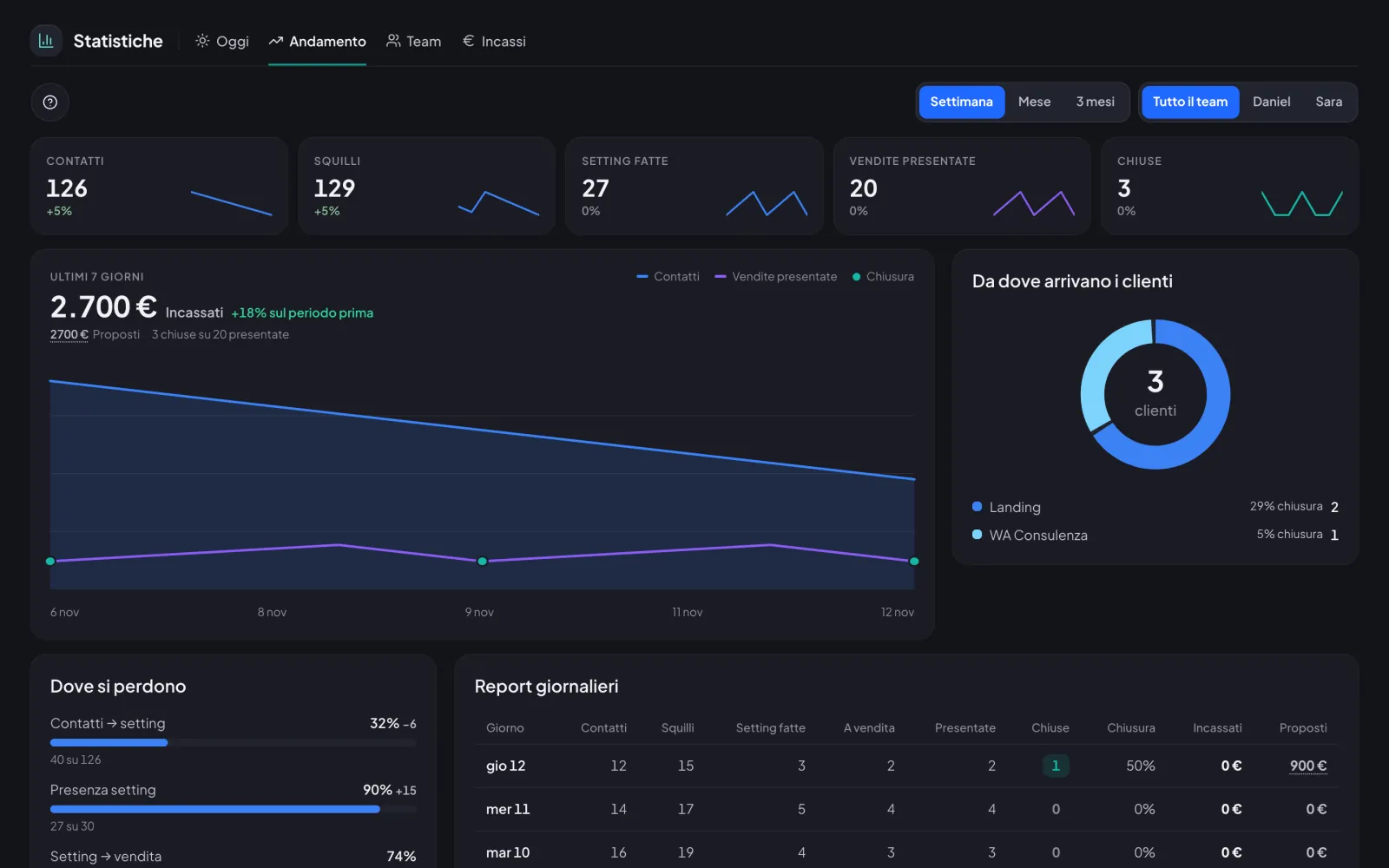
Sales stats for the whole team

Sales stats for the whole team
New

Today, Trend, Team and Revenue on one page, with today’s calls and outcomes to log on the spot.

For the coach

  • «Log outcome» right on the call row
  • Money split into Collected and Proposed
  • Contacts and calls entered by hand in Settings › Sales
  • «Stats» permission to choose who sees them
Try it with today’s updates.30 minutes in the real app, just your email.
Try it now